
Dashboard
1.1 Overview
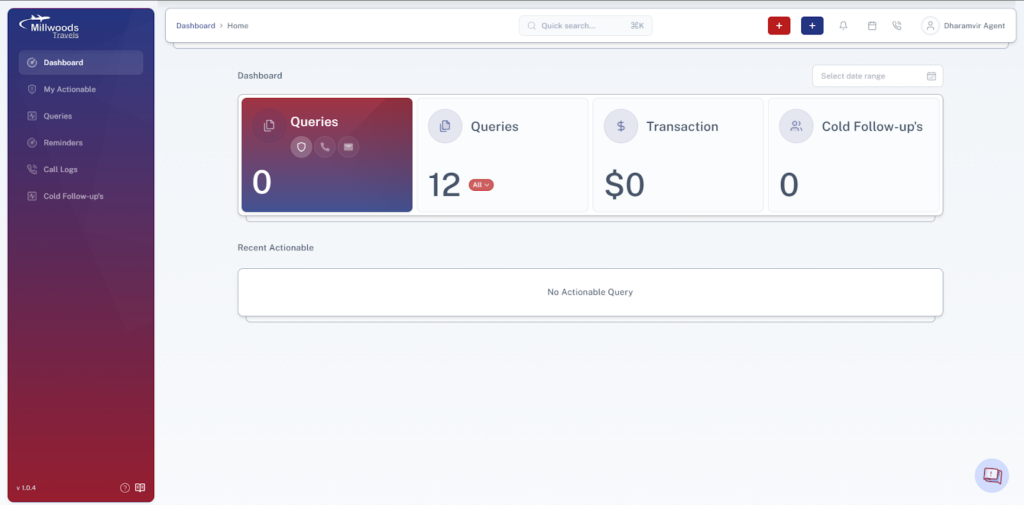
The Dashboard is your daily control panel, helping you quickly view your queries, follow-ups, and pending tasks.
1.2 Screen Reference
1.3 Key Sections & What They Mean
Query Summary Cards
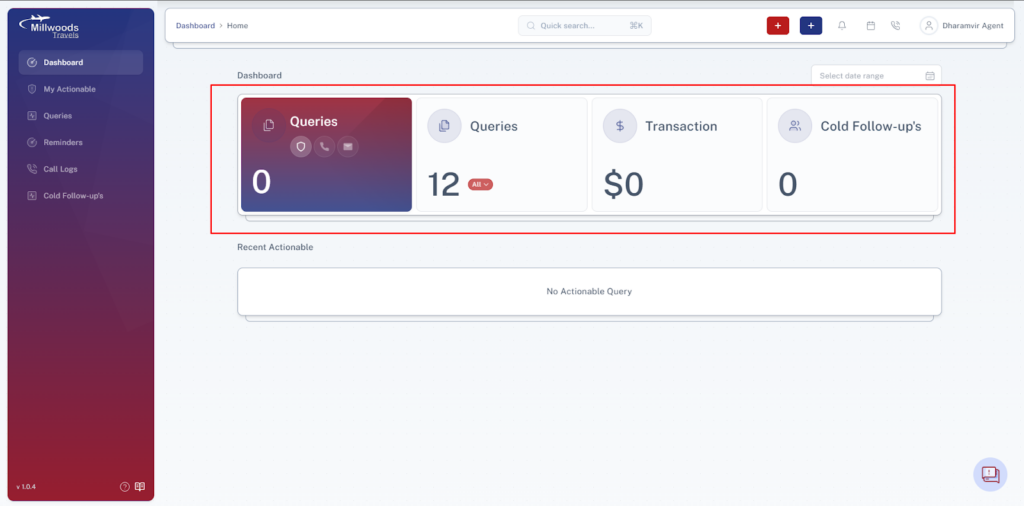
- Queries by Source → Shows where your queries are coming from (e.g., phone, website).
- Total Queries → Displays the total number of queries handled by you.
- Transactions → Shows completed bookings or successful conversions.
- Cold Follow-ups → Indicates queries that need re-engagement later.
Recent Actionable Queries
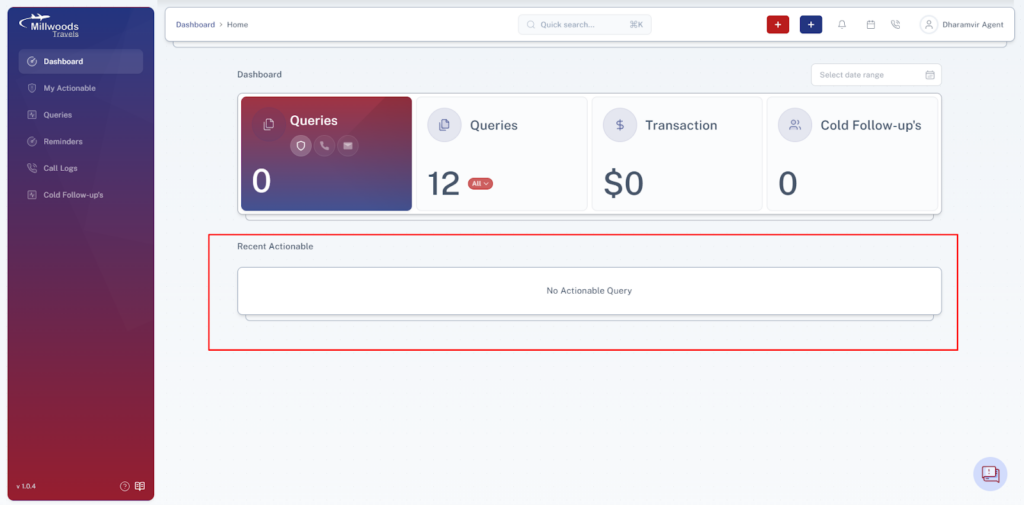
- Displays queries assigned to you that require immediate action.
- Helps you prioritize your daily work.
Open Queries
- Shows queries created by you that are still active.
- Helps track ongoing work and follow-ups.
1.4 Top Navigation Bar
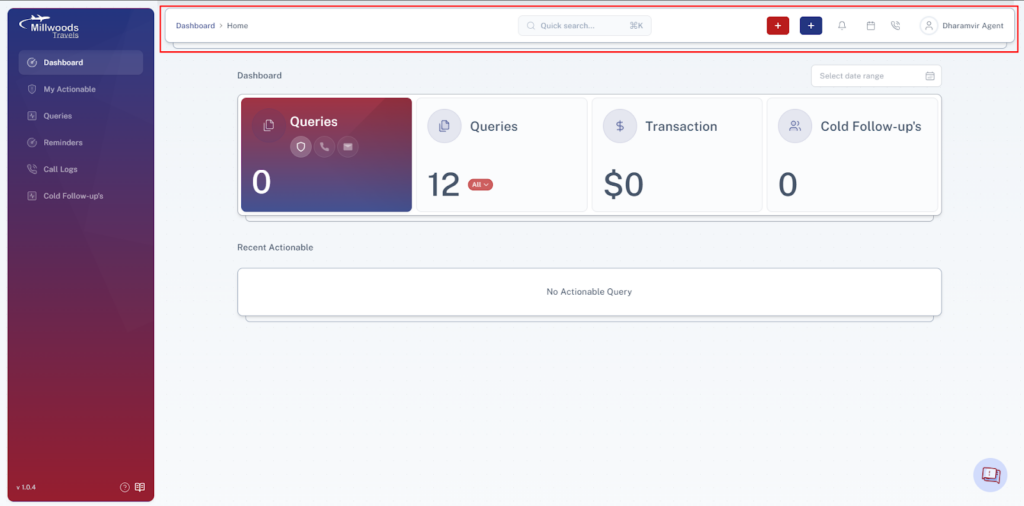
- Red (+) – Create Reminder → Quickly set a reminder for follow-ups.
- Blue (+) – Create Query → Start a new customer query.
- Bell Icon – Notifications → View updates on your queries.
- Reminder Queue → View all your scheduled reminders.
- Call Queue → Shows calls where remarks are pending.
- User Icon → Access profile and logout.
1.5 Daily Usage Guide
- Start your day with Recent Actionable Queries
- Review Open Queries
- Check Notifications for updates
- Update pending follow-ups