
Create Query
Overview
Use this form to create a new travel query for a customer.
Screen Reference
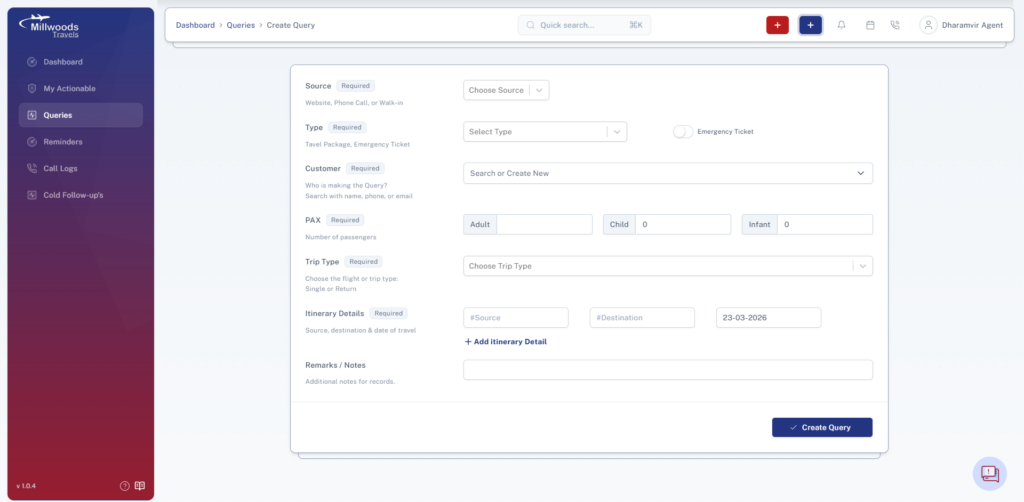
Field-by-Field Explanation
Source
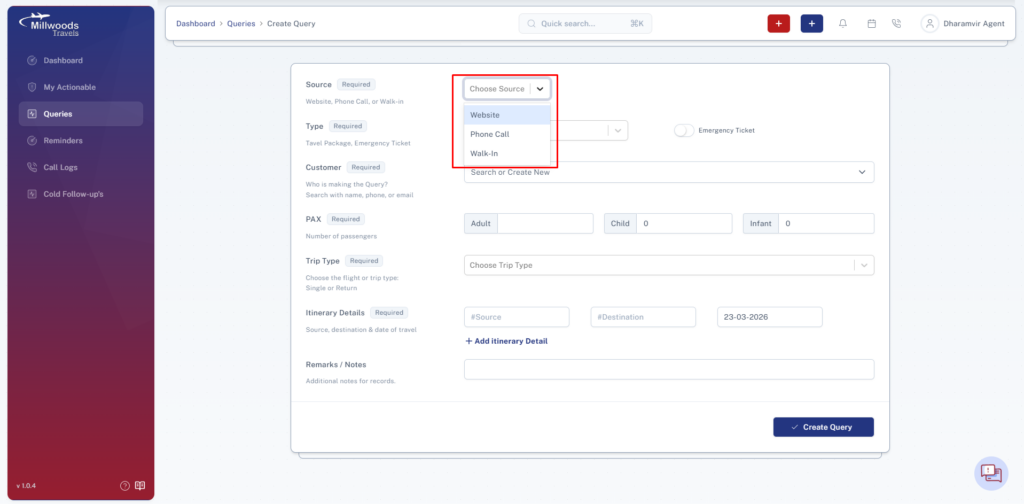
- Defines how the query was received (e.g., Phone, Website).
Type
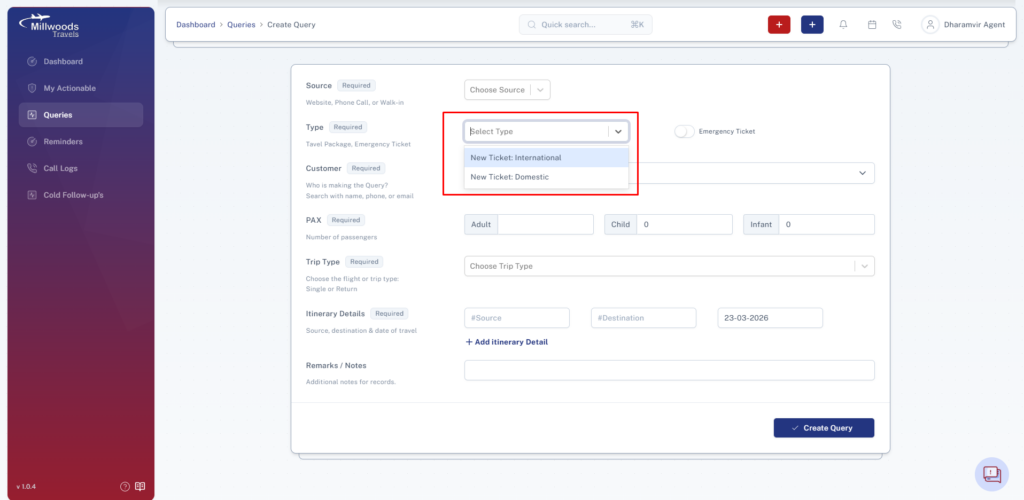
- Specifies whether the query is Domestic or International.
Emergency Ticket
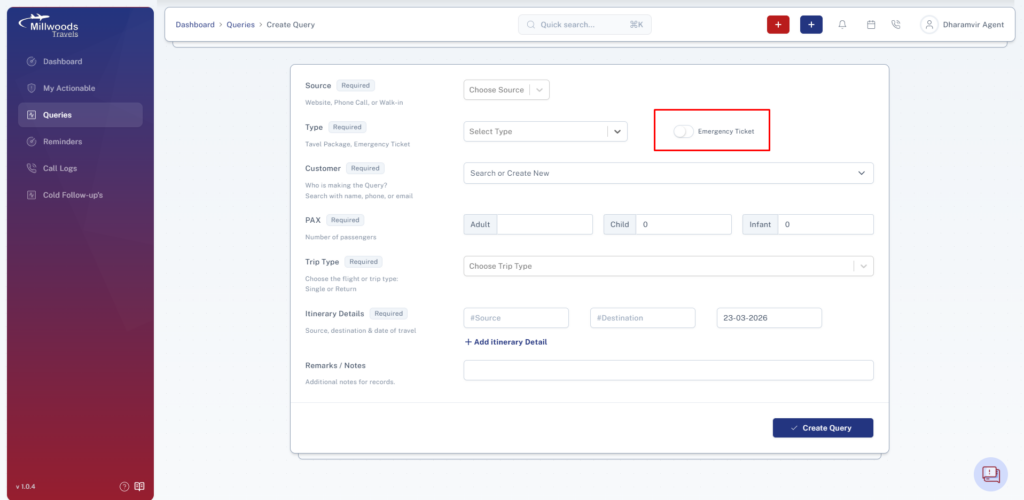
- Marks the query as urgent for priority handling.
Customer
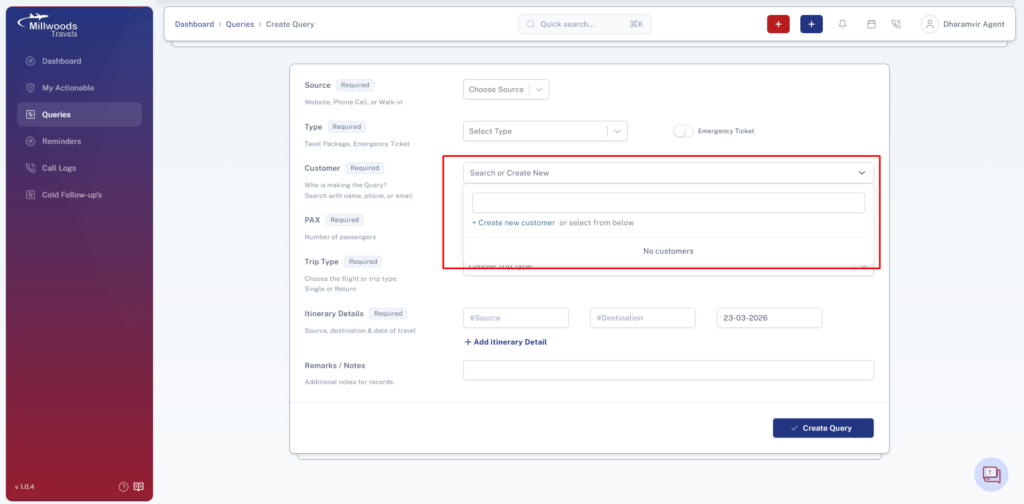
- Select an existing customer or create a new one.
PAX (Passengers)
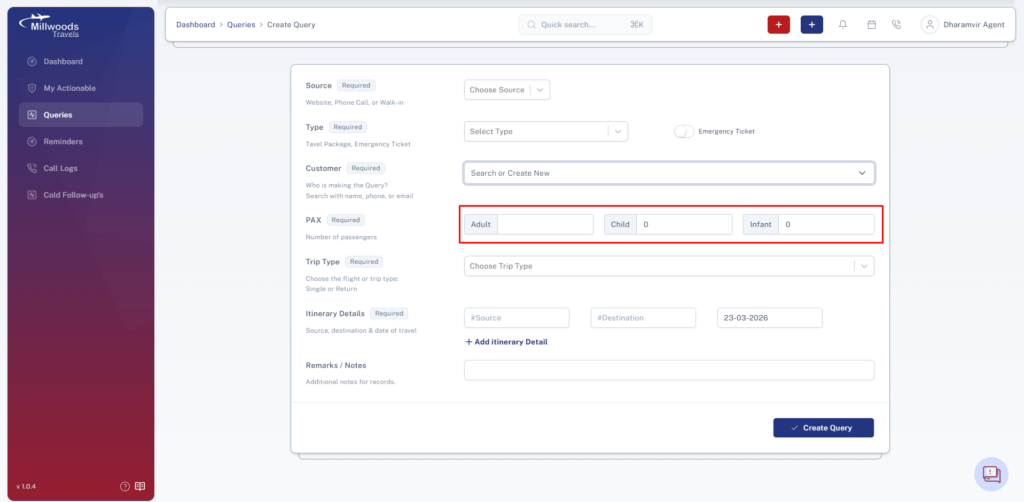
- Number of travelers (Adult, Child, Infant).
Trip Type
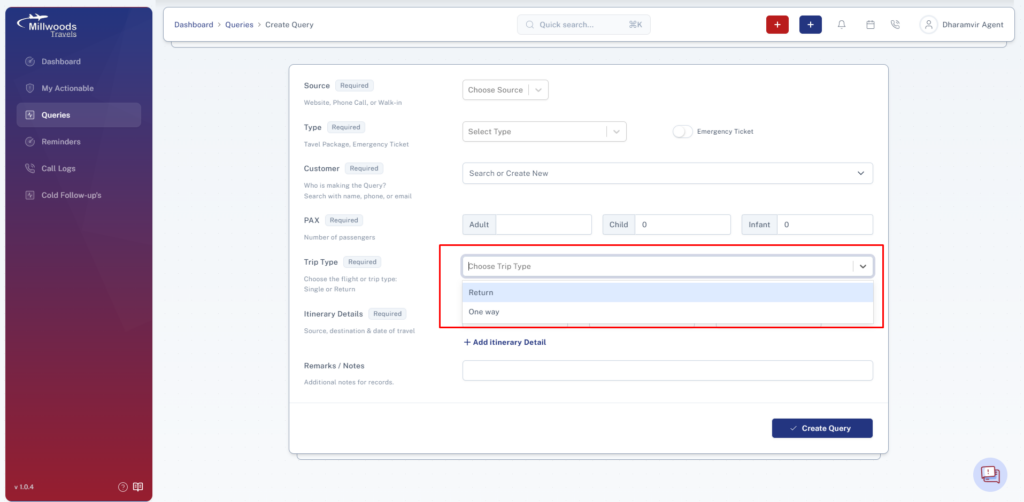
- One Way → Single journey
- Return → Round trip
Itinerary Details
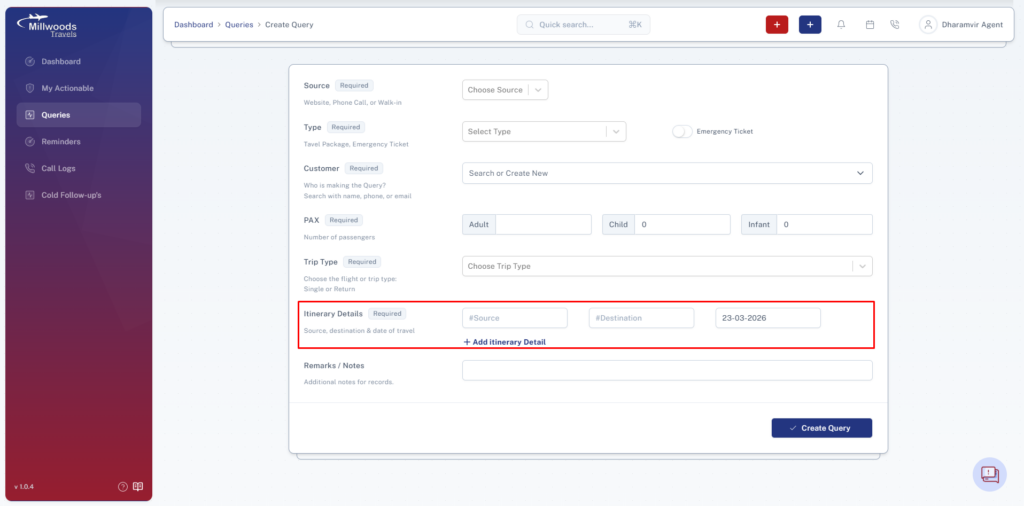
- Source → Departure location
- Destination → Arrival location
- Date → Travel date
- Add multiple routes if needed
Remarks
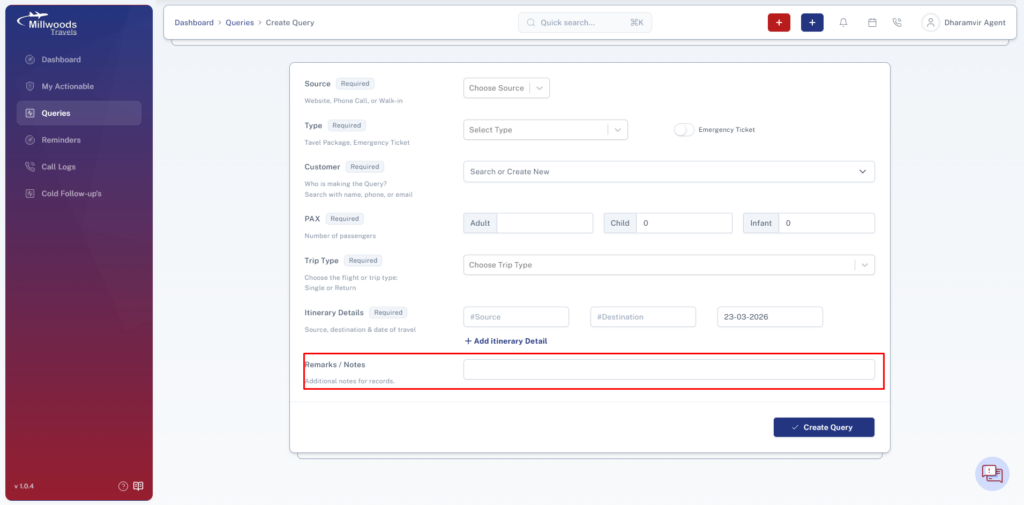
- Add notes like preferences or special instructions.
Steps to Create Query
- Click Blue (+) icon
- Fill all required fields
- Click Create Query
Best Practices
- Always check for existing customers
- Enter accurate travel details
- Add useful remarks