
My Actionable
2.1 Overview
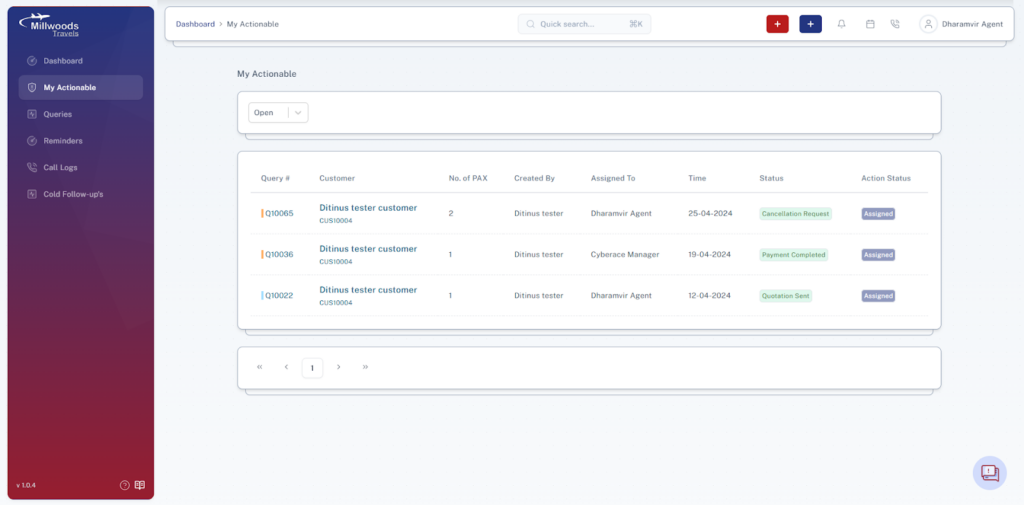
This section shows all queries assigned to you that need action, making it your task list.
2.2 Screen Reference
2.3 Filters
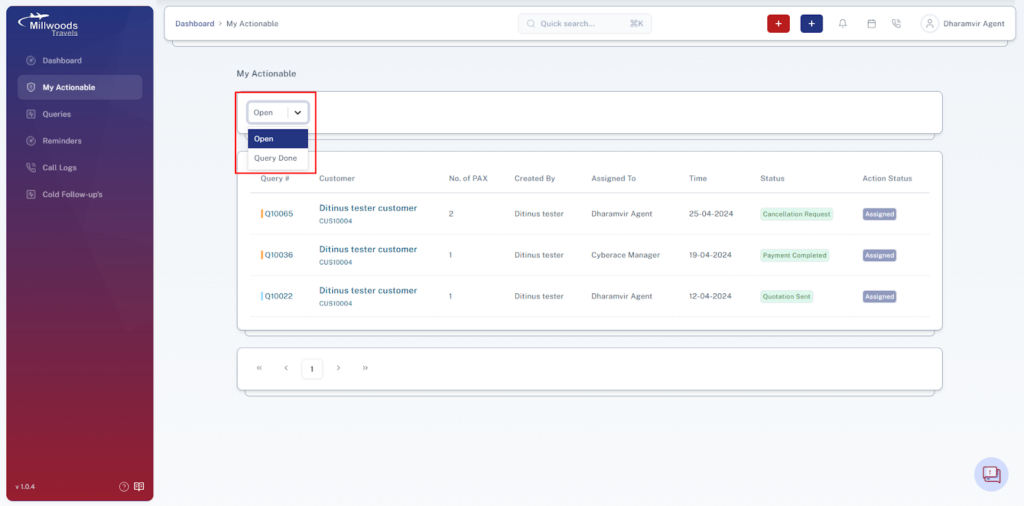
- Open → Shows queries that still need action.
- Query Done → Shows queries where action has been completed.
2.4 Table Fields Explained
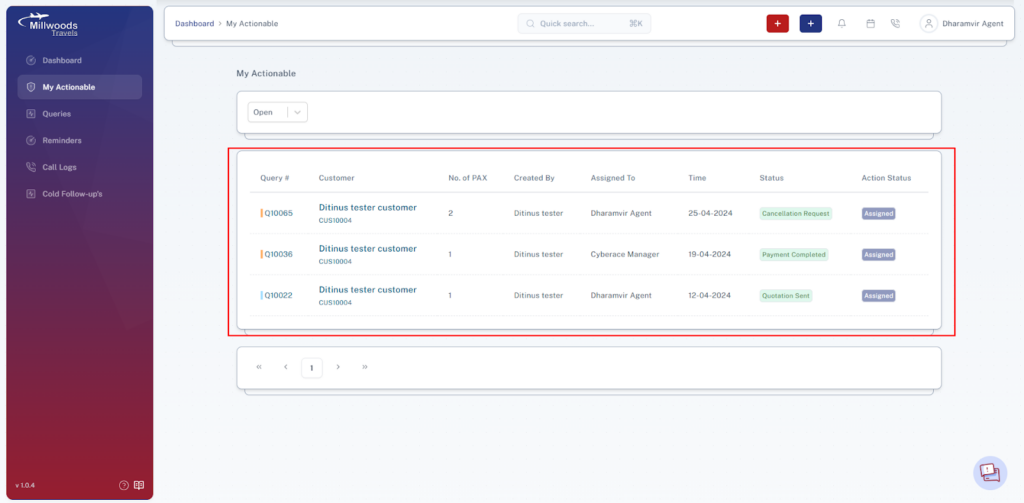
- Query # → Unique ID of the query.
- Customer → Name and ID of the customer.
- PAX → Number of passengers.
- Created By → User who created the query.
- Assigned To → Person responsible for action.
- Time → Date/time of assignment or update.
- Status → Current stage (e.g., Not Sold, Payment in Progress).
- Action Status → Current action required (e.g., Assigned).
2.5 Daily Usage Guide
- Focus on Open queries first
- Complete tasks assigned to you
- Update status after action