
Query Details Page
4.1 Overview
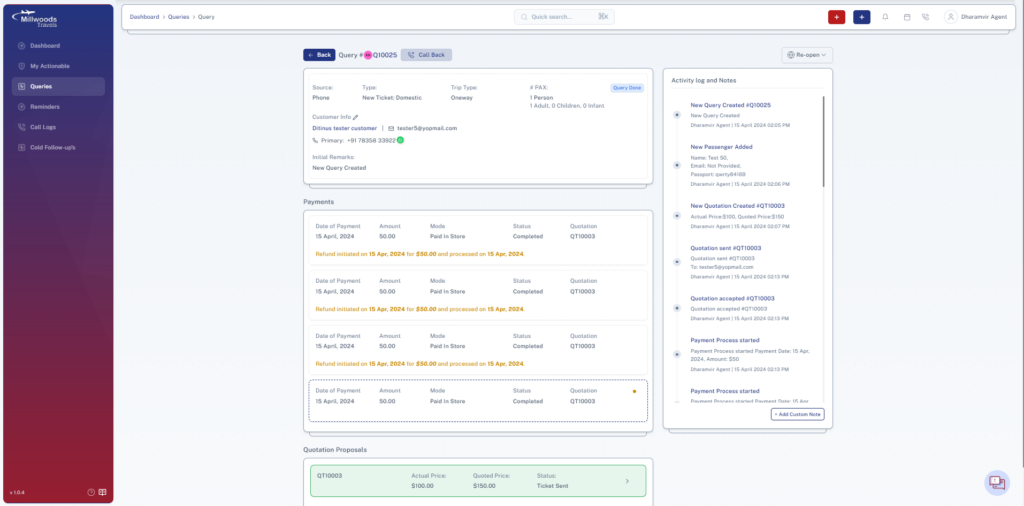
The Query Details page is where you manage a query end-to-end, from initial creation to final ticket delivery.
4.2 Screen Reference
4.3 Header Actions
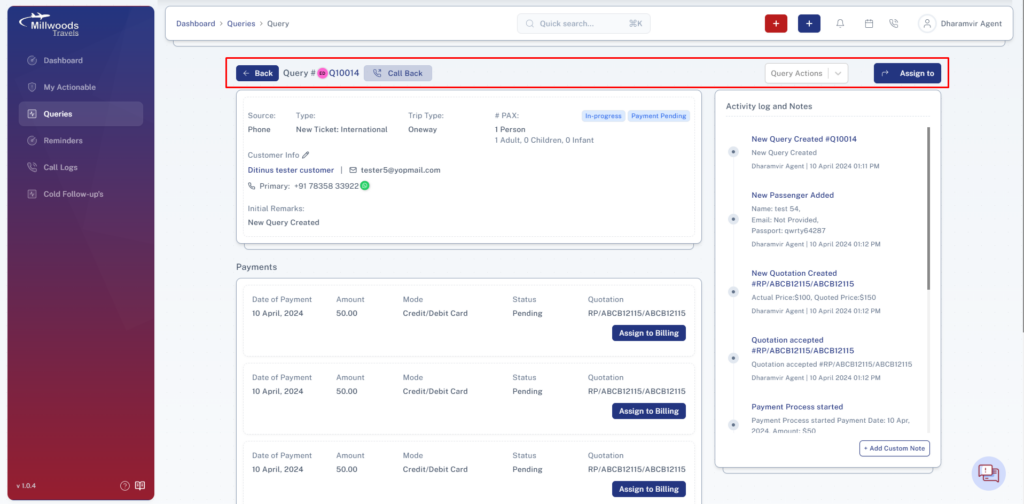
- Back Button → Returns to the queries list.
- Call Back → Send a notification to the agent who created the query to call the customer.
- Assign To → Assign the query to another user if needed.
4.4 Query Information Section
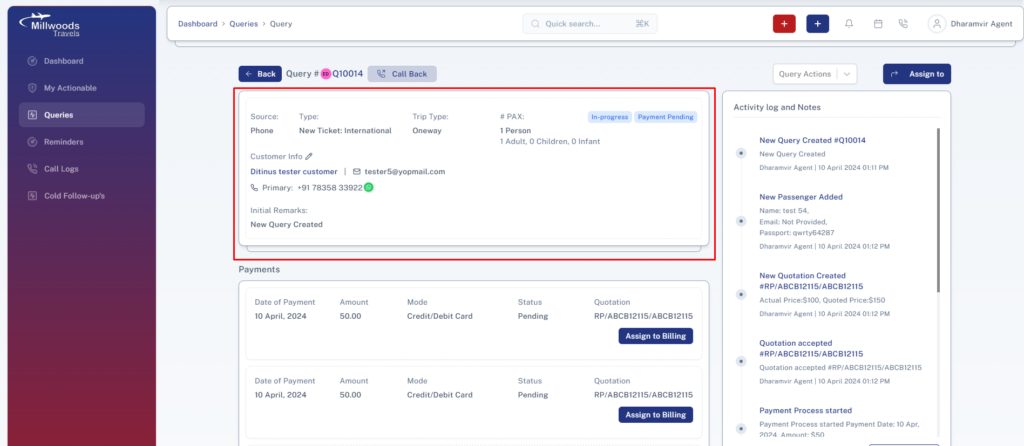
- Source → Shows how the query was received (e.g., Phone).
- Type → Indicates Domestic or International ticket.
- Trip Type → Shows One Way or Return journey.
- # PAX → Displays number of passengers.
- Customer Info → Shows name, email, and contact details.
- Initial Remarks → Displays notes added during query creation.
4.5 Query Actions
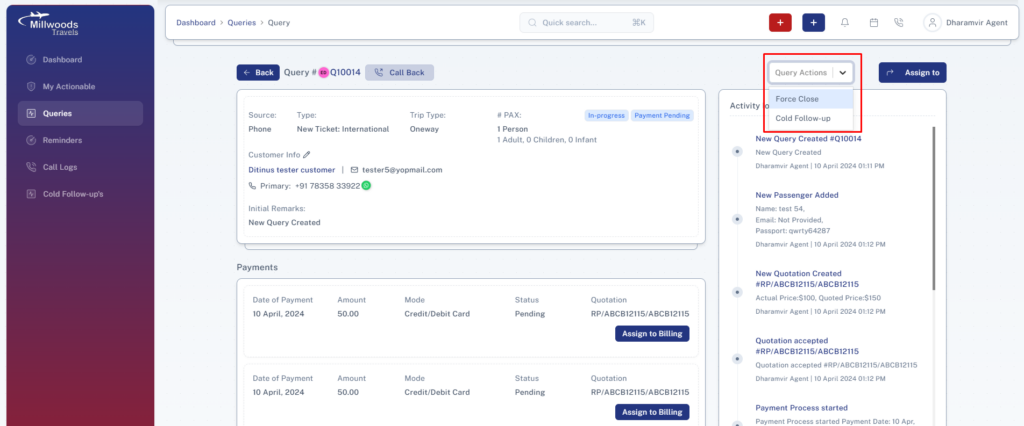
- Force Close → Closes the query when no further action is required.
- Cold Follow-up → Moves the query to follow-up at a later stage.
4.6 Reopen Option(After Query has been marked as Done)
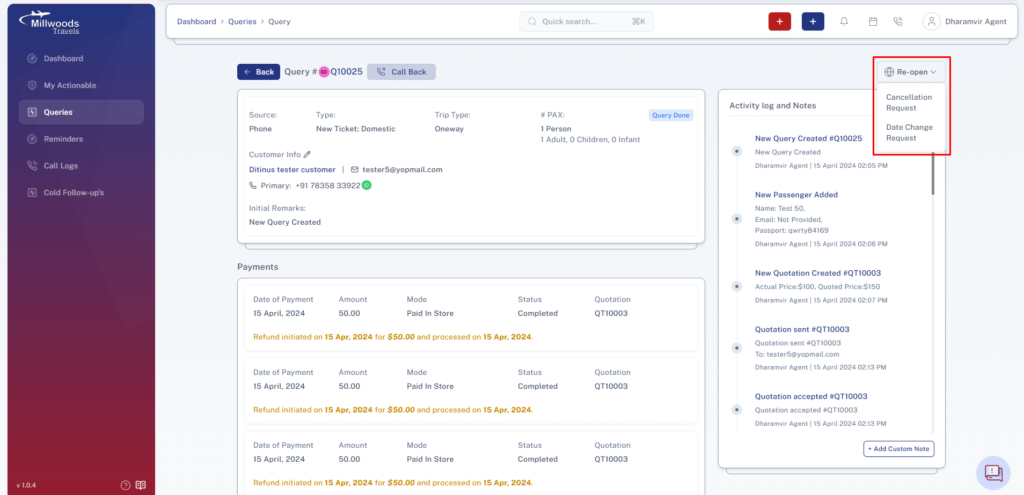
- Re-open (Cancellation) → Reopens query for ticket cancellation.
- Re-open (Date Change) → Reopens query for modifying travel dates.
4.7 Activity Log & Notes
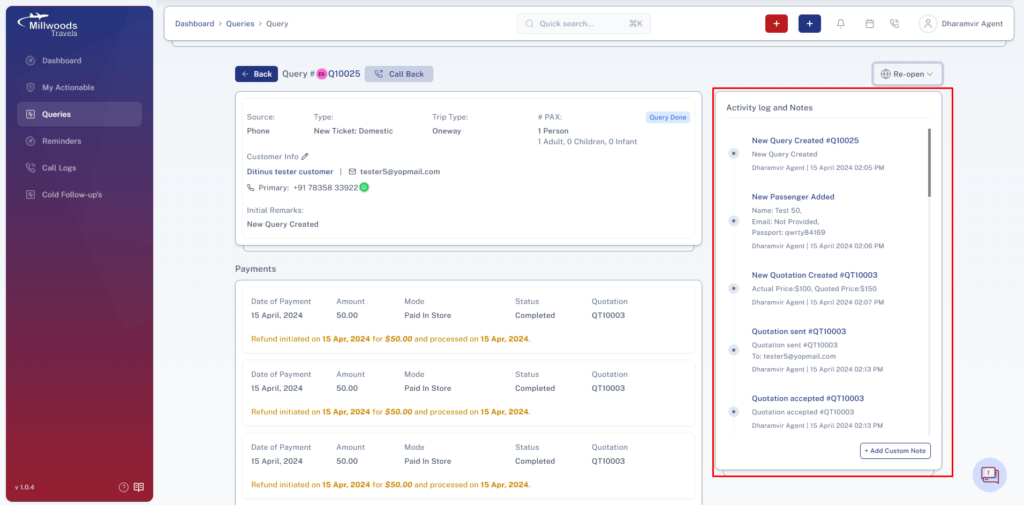
- Shows complete history of actions performed on the query.
- Tracks:
- Query creation
- Passenger updates
- Quotations
- Payments
- Add Custom Note → Add manual notes for reference.
4.8 Quotation Proposals Section
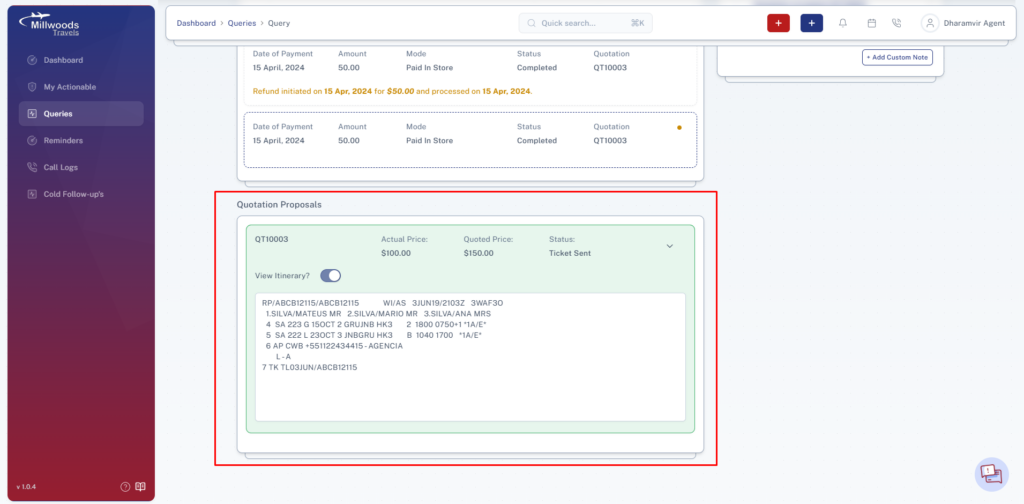
- Displays all quotations created for the query.
- Add New Quotation Proposal → Create a new quotation for the customer.
4.9 Payments Section
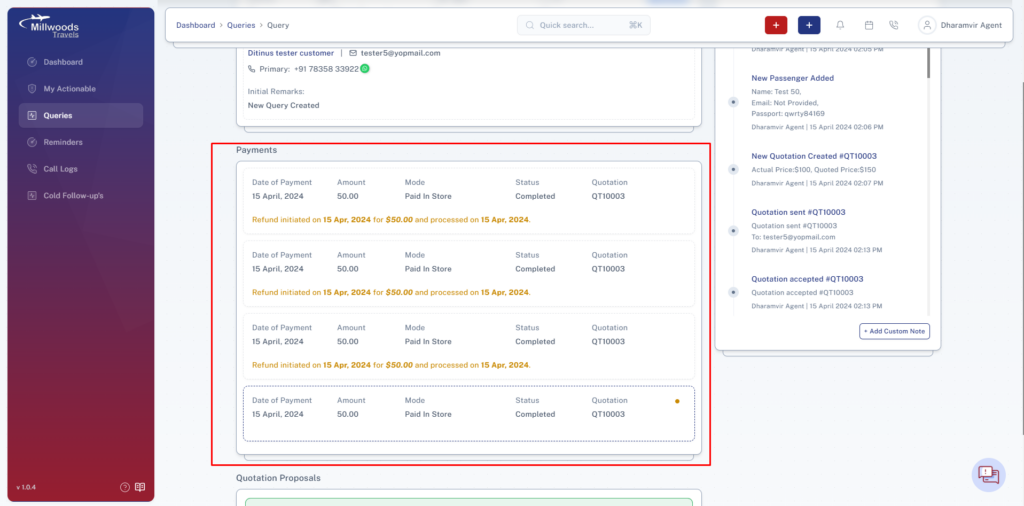
- Shows all payment records for the query.
- Includes:
- Date
- Amount
- Mode
- Status