
My Actionable Guide
2.1 Overview
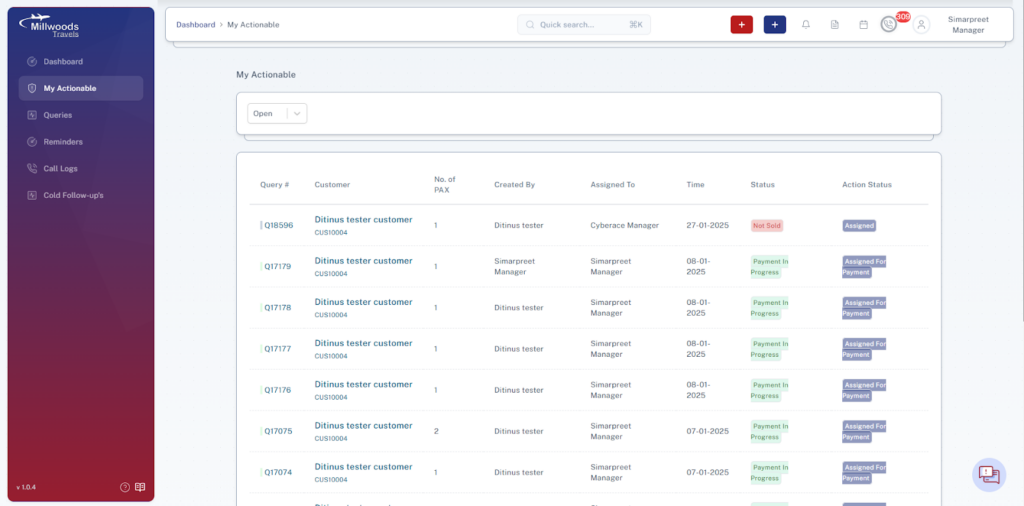
The My Actionable module provides a centralized view of all queries that require action from the logged-in user. It helps users track tasks assigned to them and ensures that important customer queries are handled promptly.
This module allows users to monitor the status of assigned queries, view pending actions, and manage follow-ups efficiently.
2.2 Accessing the My Actionable Module
- Log in to the CRM system.
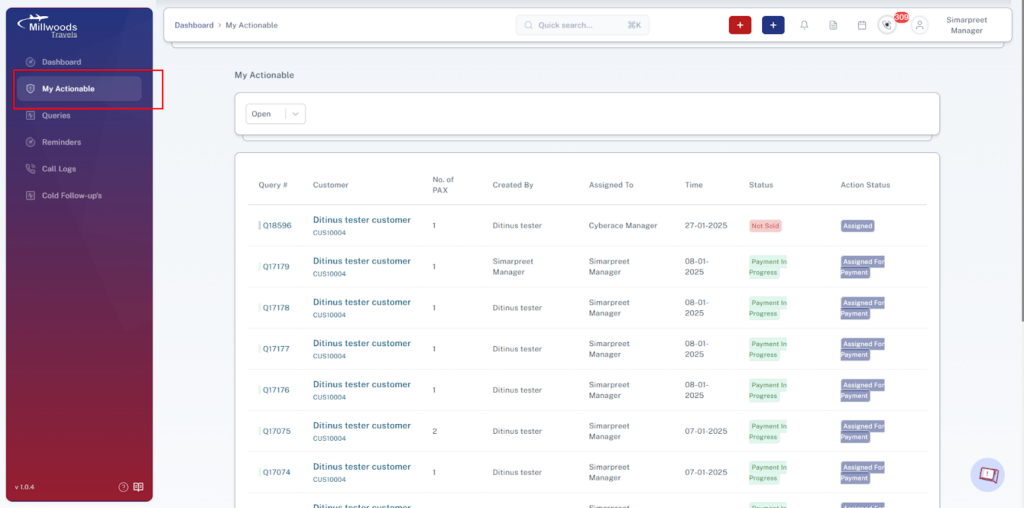
- From the left navigation panel, click My Actionable.
- The system will display the list of queries assigned to the current user that require action.
2.3 Action Status Filter
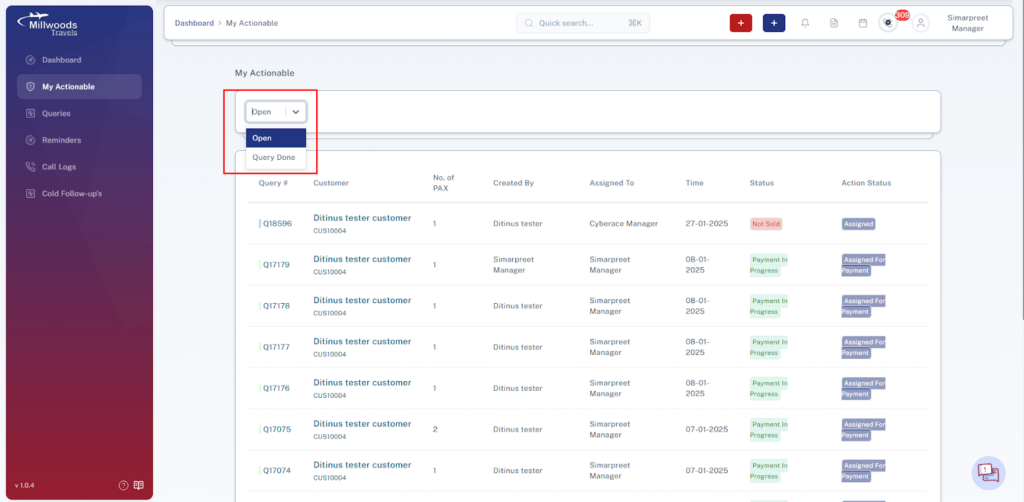
At the top of the page, users can filter the list of actionable queries using the status dropdown filter.
Available Filter Options
| Option | Description |
| Open | Displays queries that still require action from the user. |
| Query Done | Displays queries where the assigned action has already been completed. |
Steps to Filter Actionable Queries
- Click the status dropdown at the top of the page.
- Select Open or Query Done.
- The query list will update based on the selected filter.
2.4 Actionable Queries List
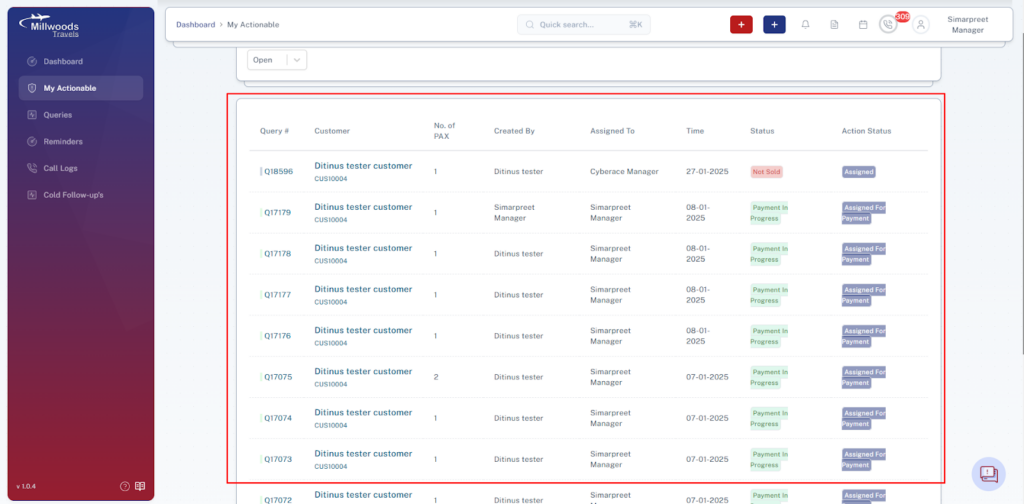
The main section of this module displays a table containing all queries assigned to the logged-in user.
Each row in the table represents a query that requires attention or has already been processed.
2.5 Information Displayed in the Table
The following details are shown for each query:
| Field | Description |
| Query # | Unique identifier for the query. |
| Customer | Name of the customer associated with the query along with the customer ID. |
| No. of PAX | Number of passengers involved in the travel request. |
| Created By | User who originally created the query. |
| Assigned To | User responsible for handling the query. |
| Time | Date associated with the query assignment or creation. |
| Status | Current stage of the query (e.g., Not Sold, Payment in Progress). |
| Action Status | Shows the current action state such as Assigned or Assigned for Payment. |
2.6 Query Status Indicators
To help users quickly understand the progress of a query, the system displays status labels with visual indicators.
Common Status Labels
| Status | Meaning |
| Not Sold | The query has not yet been converted into a confirmed booking. |
| Payment in Progress | The payment process for the booking is currently underway. |
2.7 Action Status Labels
This column indicates what action is currently expected or assigned.
| Action Status | Description |
| Assigned | The query has been assigned to the user for processing. |
| Assigned for Payment | The query has progressed to the payment stage and requires payment processing. |
2.8 Purpose of the My Actionable Module
The My Actionable module helps users:
- Quickly identify queries that require immediate action.
- Track progress on assigned customer requests.
- Ensure that no assigned query remains unattended.
- Monitor query progress through different stages.
2.9 Best Practices
- Review the My Actionable list regularly to stay updated on assigned tasks.
- Use the Open filter to focus on pending actions.
- Update query statuses promptly to keep workflow accurate.
- Coordinate with other team members if a query requires cross-team action.