
Cold Follow-Ups Flow
This is the most important part for tracking queries that would require attention at a later date and ensuring no potential customer is missed.
Step 1: Access Cold Follow-Ups Module
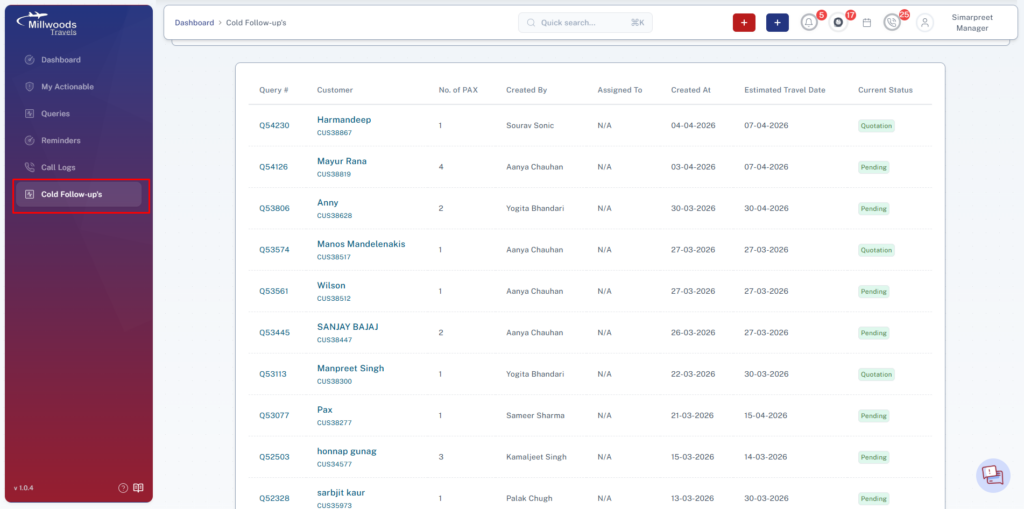
Navigate to Cold Follow-up’s from the side panel.
This opens the list of all inactive queries.
Step 2: Understand the Listing
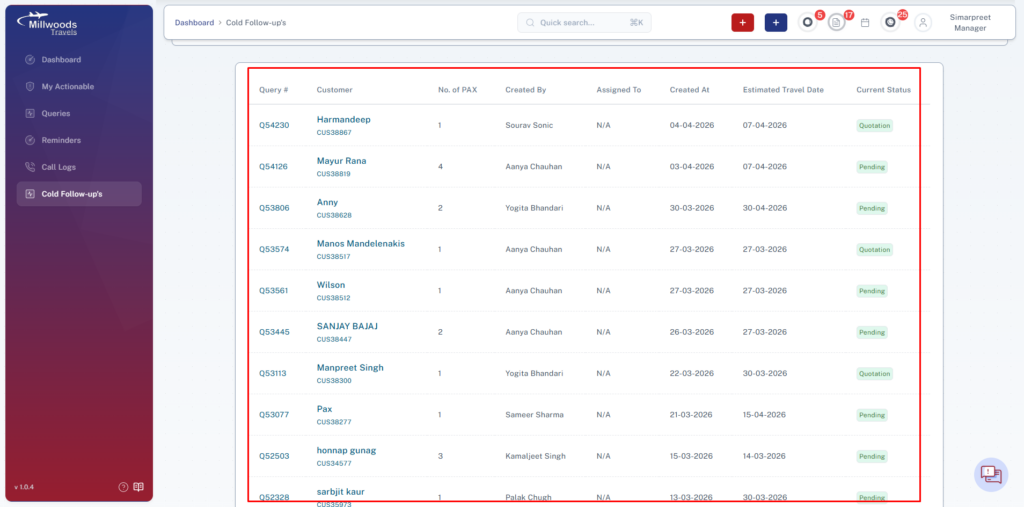
The table displays the following details:
- Query #
- Customer Name & ID
- No. of PAX
- Created By
- Assigned To
- Created Date
- Estimated Travel Date
- Current Status
This helps quickly identify pending and inactive queries.
Step 3: Open Query Details
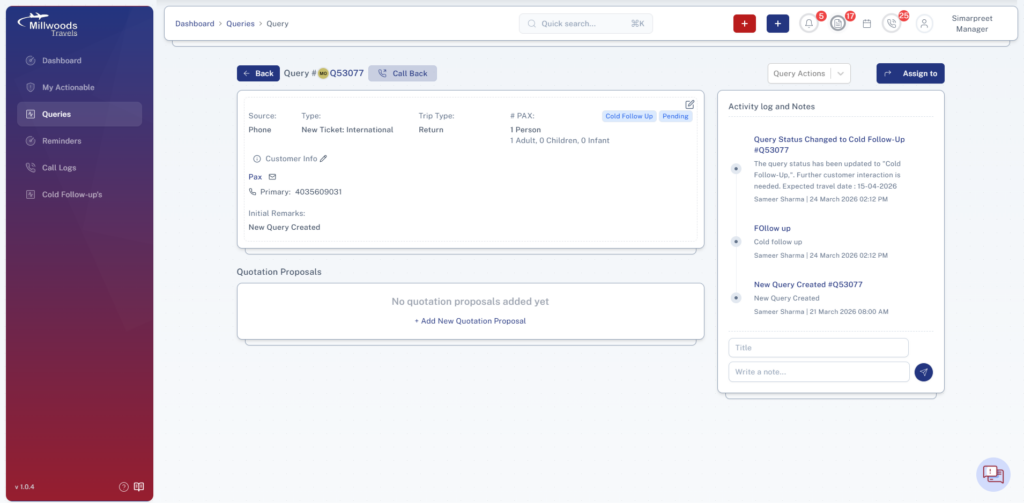
Click on Query ID
→ Opens full query details
Review:
- Customer interaction history
- Quotation status
- Last activity
Step 4: Permissions & Control
Managers/Admins have:
- Access to all cold follow-ups
- Authority to assign/reassign queries
Daily Usage Guide
- Regularly check cold follow-ups list
- Assign unassigned queries immediately
- Prioritize queries with near travel dates
- Ensure follow-ups are completed on time
Best Practices
- Avoid leaving queries unassigned
- Add clear instructions when assigning
- Monitor status updates after follow-ups
- Ensure no query remains inactive for long